
Make a 30-Second AI Car Chase From One Photo
Turn one car or truck photo into a 30-second Need for Speed AI chase. Play the widescreen and two vertical MP4s with sound and see what one payment includes.
Last updated: 2026-11-19
Play all three exports
All three MP4s show the same full chase with sound. The widescreen file is 1280 × 720 and the two vertical files are 1080 × 1920.
The photo behind the clip
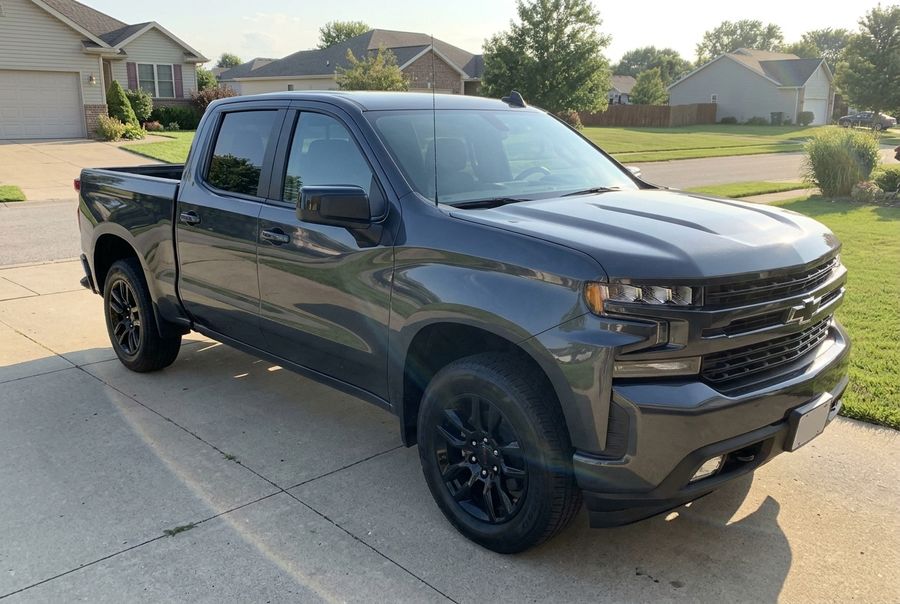
The input photo was a front-corner view of a gray pickup in daylight.
A sharp photo with the whole vehicle in frame gives the model a better view of the paint, body and wheels. Details such as badges, plates or wheels can vary between shots. Read the story behind the pickup trend.
What one payment includes
The 30-second cut costs $29.99 once. The email includes one 16:9 widescreen MP4 and both 9:16 exports shown above. All three come with the trend sound and no watermark.
- Open the generator and choose a photo of your car or truck.
- Select 30s and check out. You can do both in your phone browser without writing a prompt, installing an app or creating an account.
- Open the delivery email and pick the version you want to post. Choose 16:9 for landscape, Single for one wide frame on a vertical canvas, or 2× Split for the stacked layout.
See the step-by-step guide, including how to save on iPhone.